Jun 2026 - Jul 2026
Airix
An AI-assisted aircraft design workspace with a browser-based 3D editor. Build concepts from basic shapes and aircraft parts, or generate a model from text or an image. Combine shapes, adjust materials and arrange parts in the same scene, then export the model for use in other 3D tools.
- FOCUS
- Browser based aircraft design
- ROLE
- 3D editor, backend and AI integration
- STACK
- Go, gRPC, Next.js, Three.js
- STORAGE
- PostgreSQL and AWS S3
Overview
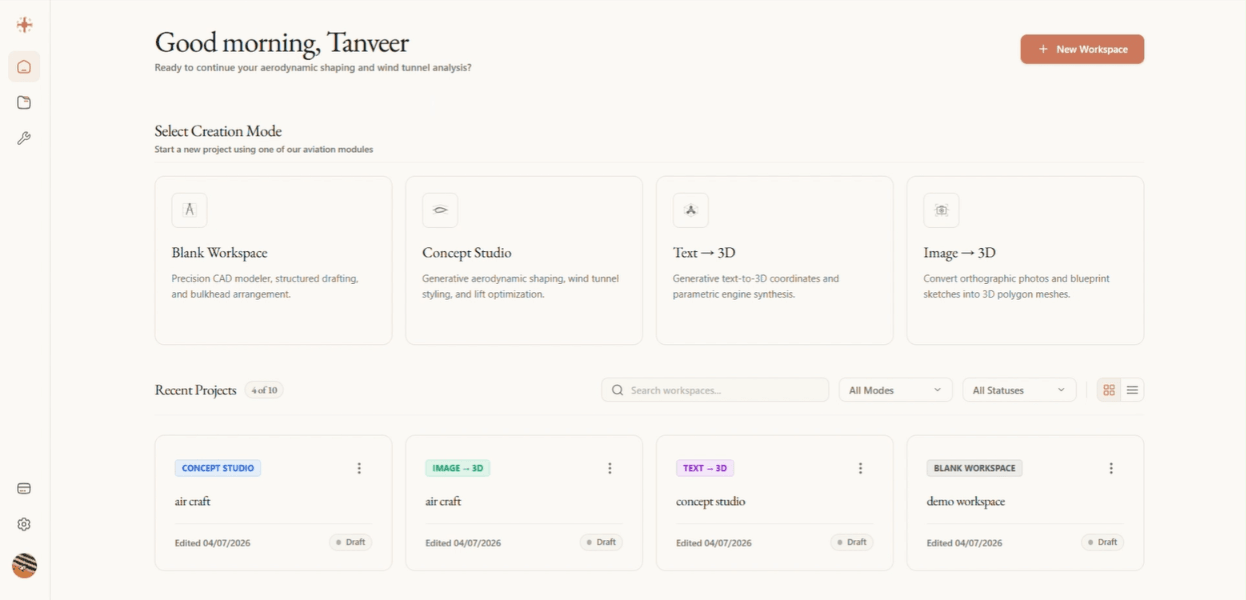
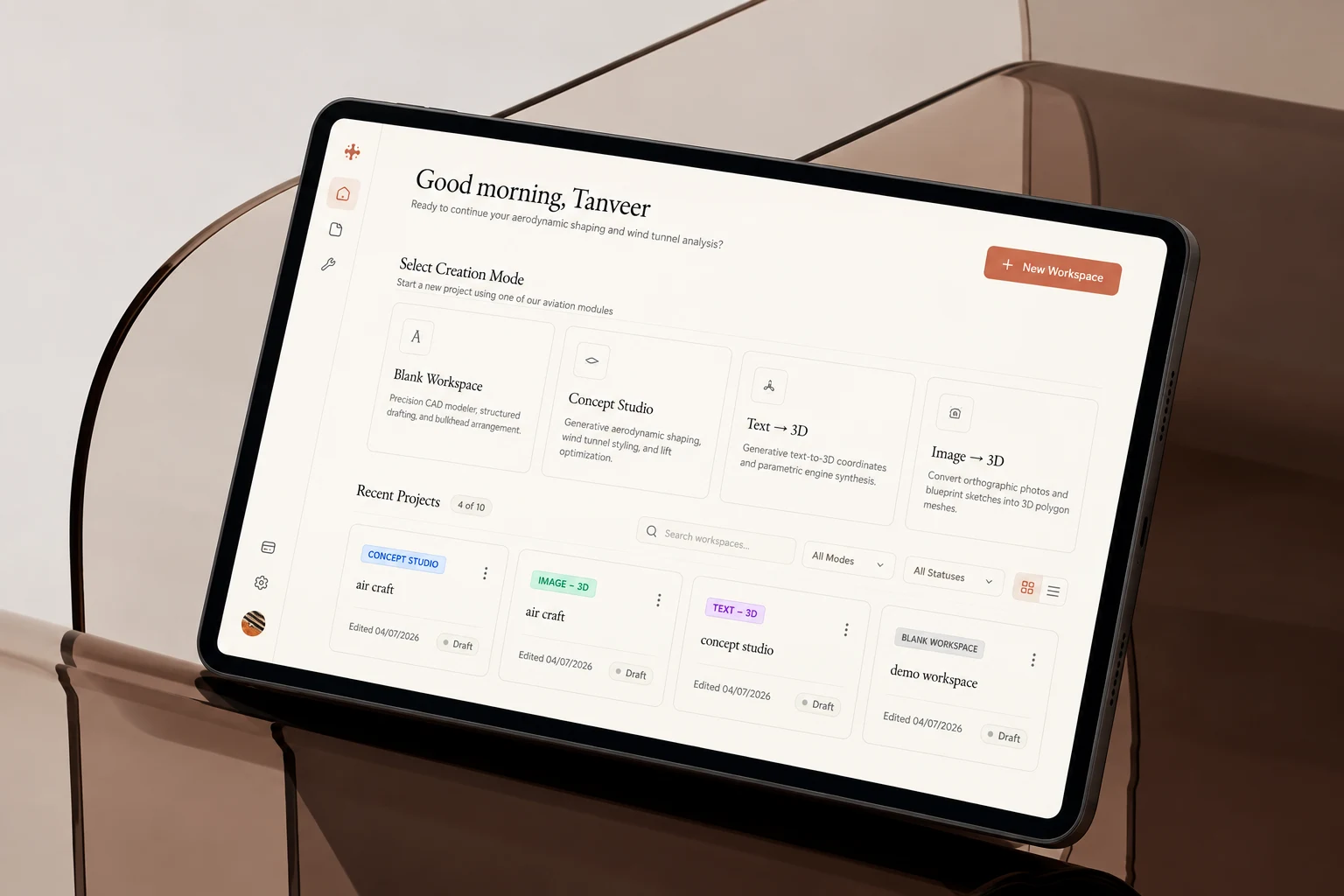
Airix is an AI-assisted aircraft concept workspace with a browser-based 3D editor. Users can build from basic shapes and aircraft parts, combine geometry, or generate a model from text or an image and work with it in the same scene.
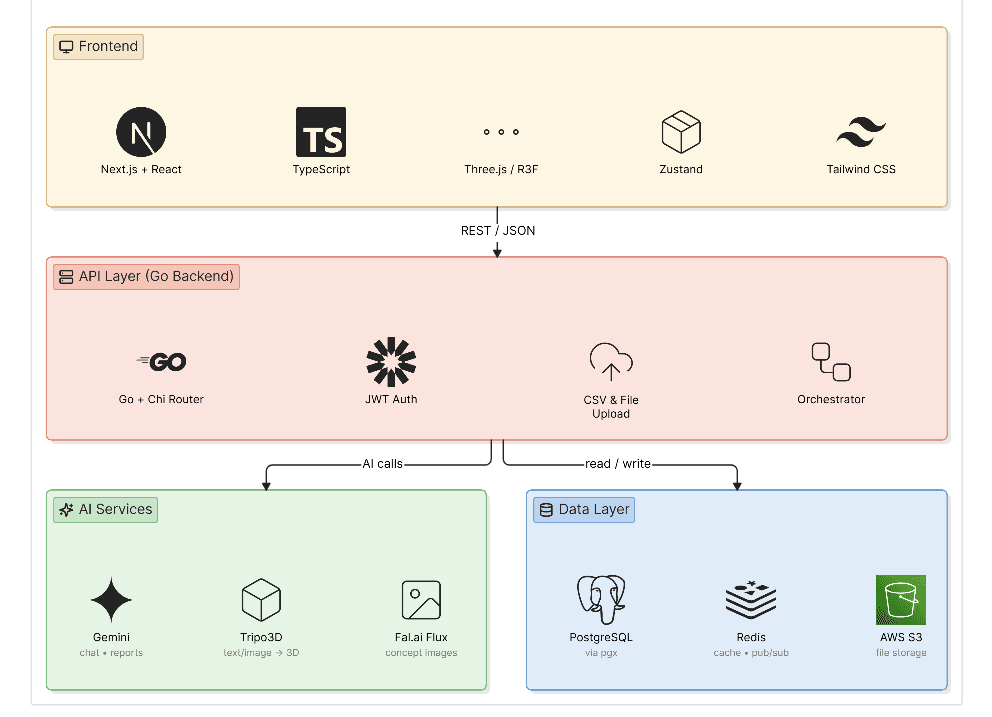
I built the modeling interface and its Three.js viewport alongside the Go backend and AI integration. The editor brings selection, transform controls, materials and shape operations into one workspace. Go services connect generation jobs over gRPC, while PostgreSQL and S3 store workspace records and model assets.
The problem
Aircraft concepts are made from parts that need to fit together. Starting from an empty 3D scene can feel like a steep learning curve, and switching between a generator, a modeling tool and a project library interrupts the design process.
The editor also needs to stay responsive while users move parts, inspect geometry and wait for generated models. That made viewport behavior and the handoff from AI generation to manual editing central engineering problems.
The solution
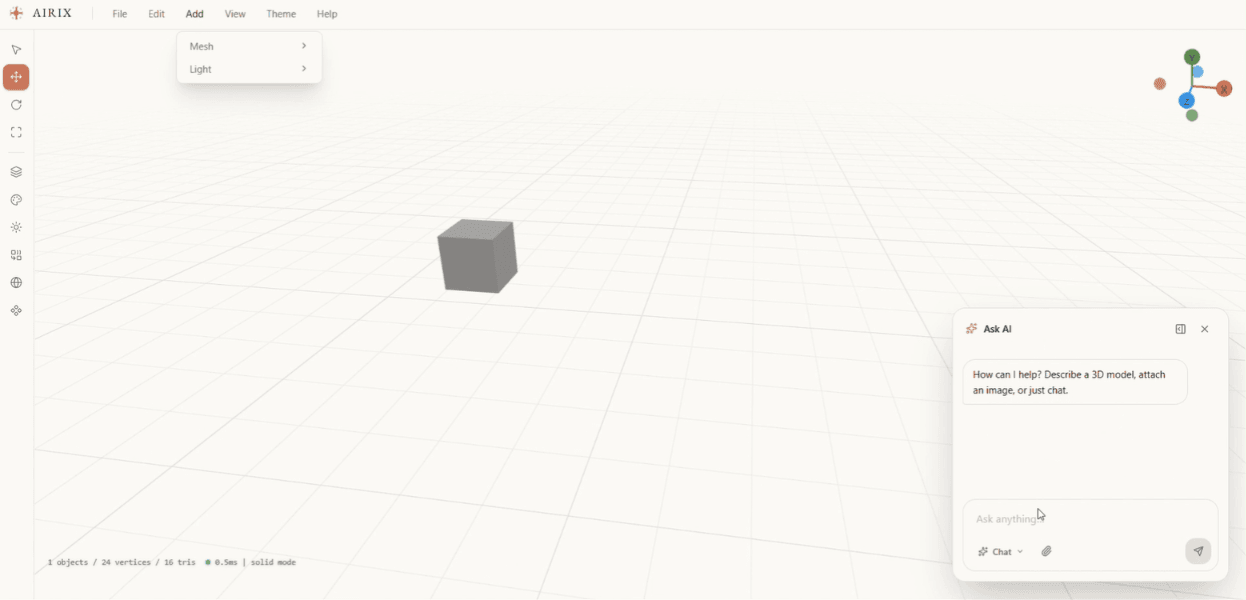
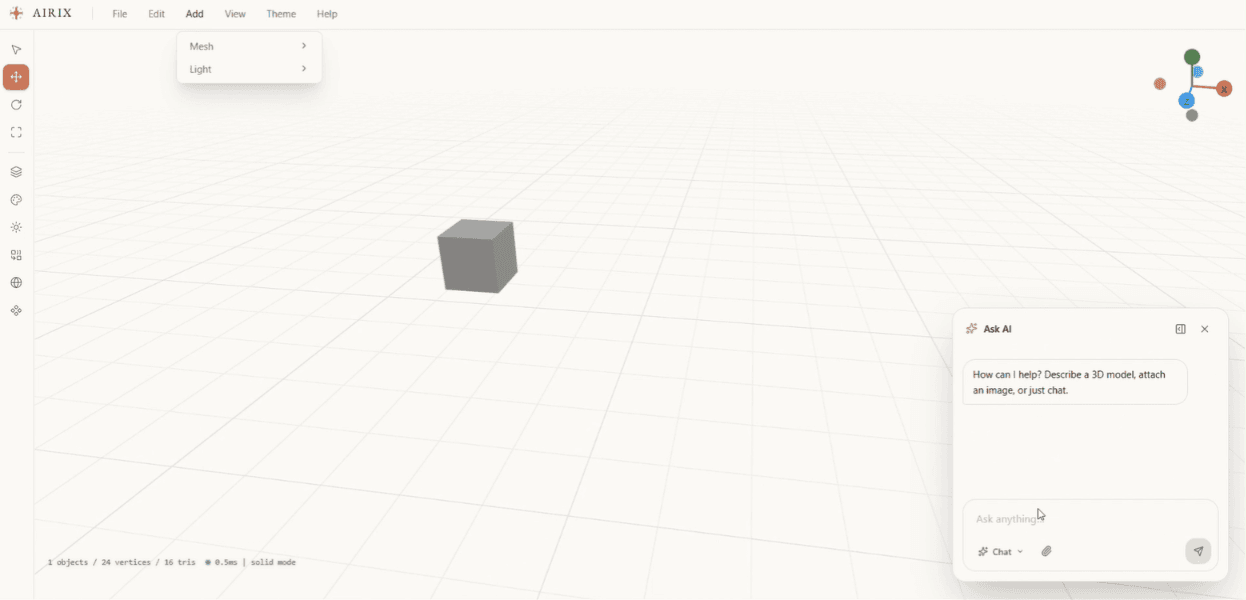
The editor offers basic shapes and aircraft part presets such as fuselages, wings, engines and tail fins. Users select parts, move, rotate and resize them, adjust materials, and inspect the model from different angles. Constructive solid geometry (CSG) lets them create new forms by joining shapes, cutting one from another or keeping their overlapping volume.
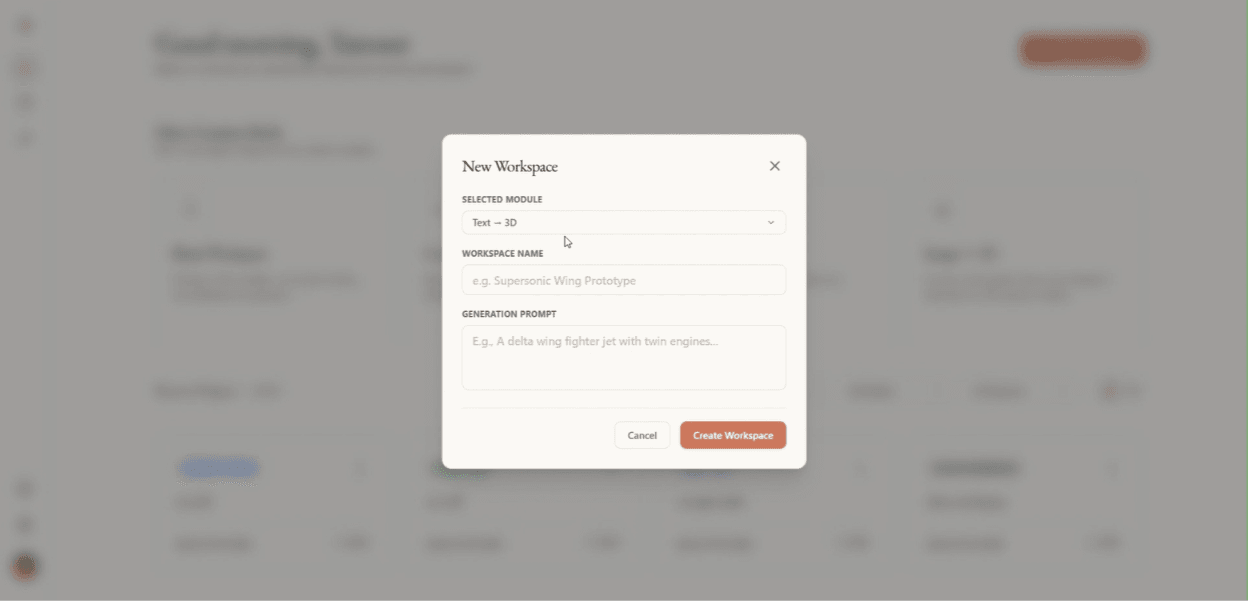
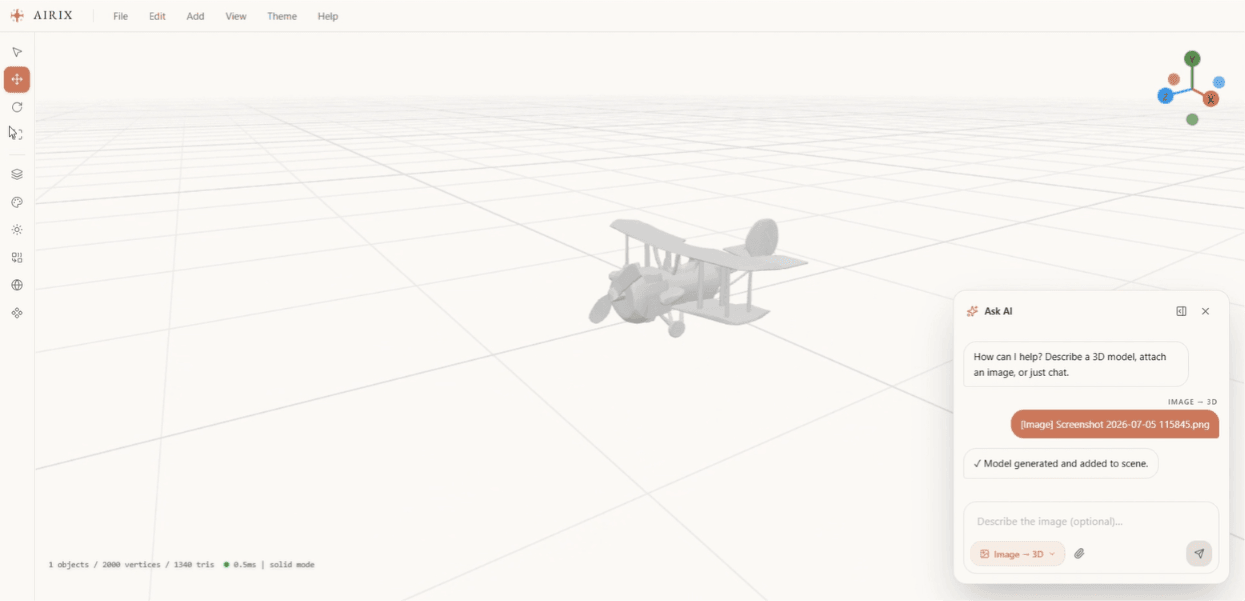
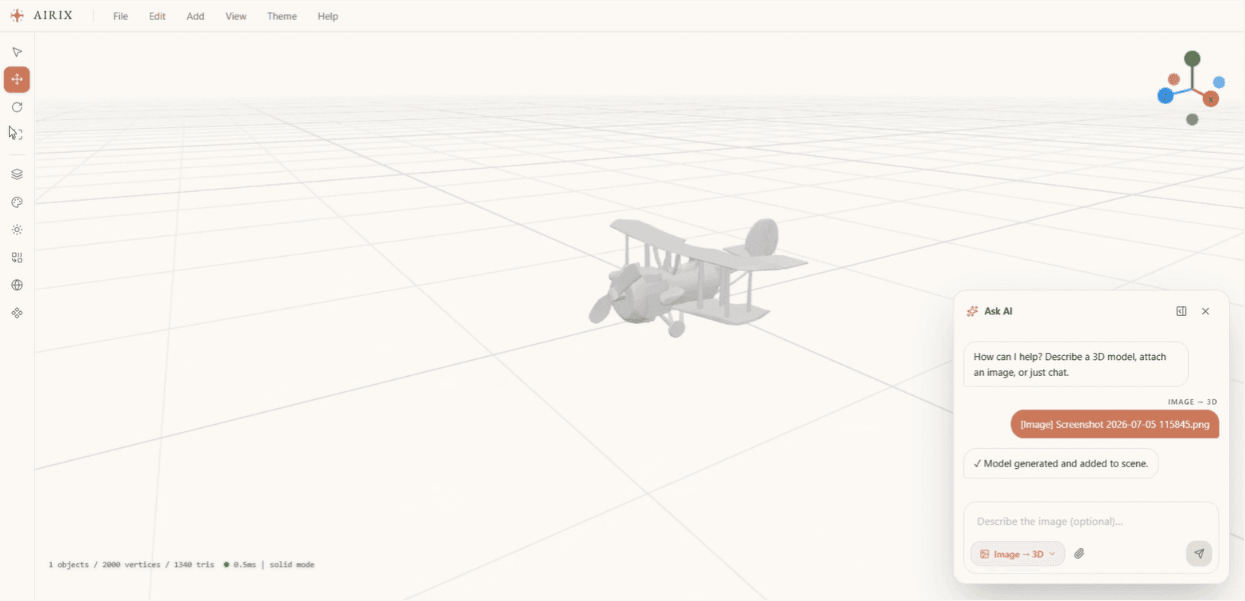
For AI assisted modeling, a user describes the aircraft or supplies an image. Airix starts a generation job and shows its progress. When the model is ready, it appears in the same editable scene, where the user can position it, inspect it and combine it with other geometry.
Workspace records keep scene data and project conversations together, while S3 holds model files. Scenes can also be exported as GLB or GLTF for use in other 3D tools. Saved snapshots do not yet fully restore combined CSG geometry.
Manual modeling
Place primitive shapes or aircraft presets, edit their transforms and inspect the scene from different angles.
Shape operations
Union joins selected forms, subtract cuts one from another, and intersect keeps their shared volume.
AI as another starting point
Generate a 3D model from a text prompt or image, then bring it into the editor to continue shaping the scene.
From a design request to a saved asset
Choose a starting point
Open a blank Three.js scene, add aircraft primitives, or start from an AI generated model.
Shape the design
Adjust selected parts and combine forms with union, subtract or intersect.
Generate when useful
Send a prompt or image through the Go API and gRPC job workflow.
Edit and keep working
Bring the returned model into the browser scene and continue arranging the design.
Save or export
Keep workspace state in PostgreSQL, model assets in S3, or export GLB/GLTF.
3D editor and services
The viewport uses React Three Fiber and Three.js for rendering and editing. Orbit controls use damping to keep camera movement smooth. A performance monitor adjusts device pixel ratio as rendering conditions change, balancing scene sharpness against frame cost. The user can continue using the browser editor without waiting for an AI generation request to complete.
I connected the editor to AI services through a Go API using gRPC. Generation returns a job ID rather than holding the request open until a model is ready. The browser checks its status and loads the finished model URL. Separate service methods handle concept images, design chat and maintenance analysis; PostgreSQL stores scene records and S3 holds the assets.
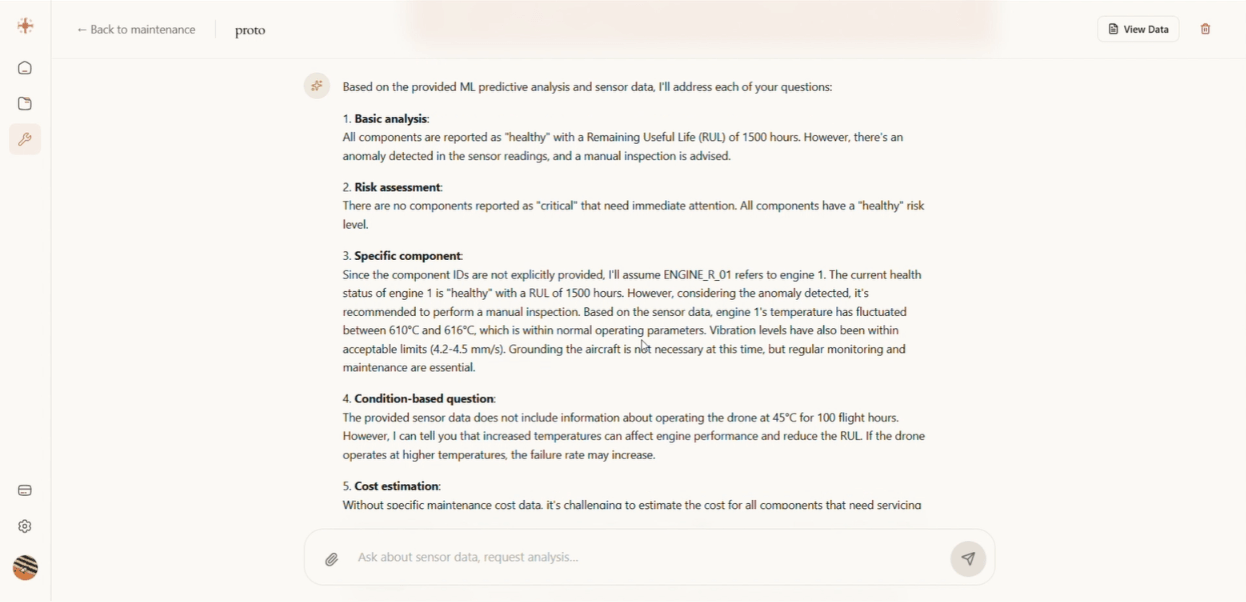
Maintenance analysis
The management workflow accepts vehicle context and telemetry or sensor text for an AI-assisted analysis. Its service response includes a readable explanation and a structured analysis snapshot that the backend can store.
This is a prototype decision-support workflow. Generated geometry and maintenance recommendations have not been established as engineering validation, a physics simulation or a certified basis for aircraft operation.
Outcome
Airix demonstrates a browser workflow that joins hands on Three.js editing with AI generated geometry, and supports it with Go APIs, gRPC services, PostgreSQL workspace records and S3 assets.
The core workflow covers creating parts, adjusting their transforms and materials, combining shapes and exporting a scene. AI generation feeds into that same editor, giving users another starting point for developing an aircraft concept.
Demo
Airix walkthrough
Airix gallery
A closer look at the product and its workflows.